Prevent Two Spaces from Being Replaced by a Period/Dot in VS Code on a Mac
I'm using AutoTyper1 to for an Introduction to bitty2 video with VS Code. I kept having a problem where two spaces turned into a period. This doesn't happen in my other apps. The fix was to toggle off the switch in:
System Settings App
> Keyboard
> Text Input
> Input Sources - Edit
> Add period with double-space
Here's screenshots
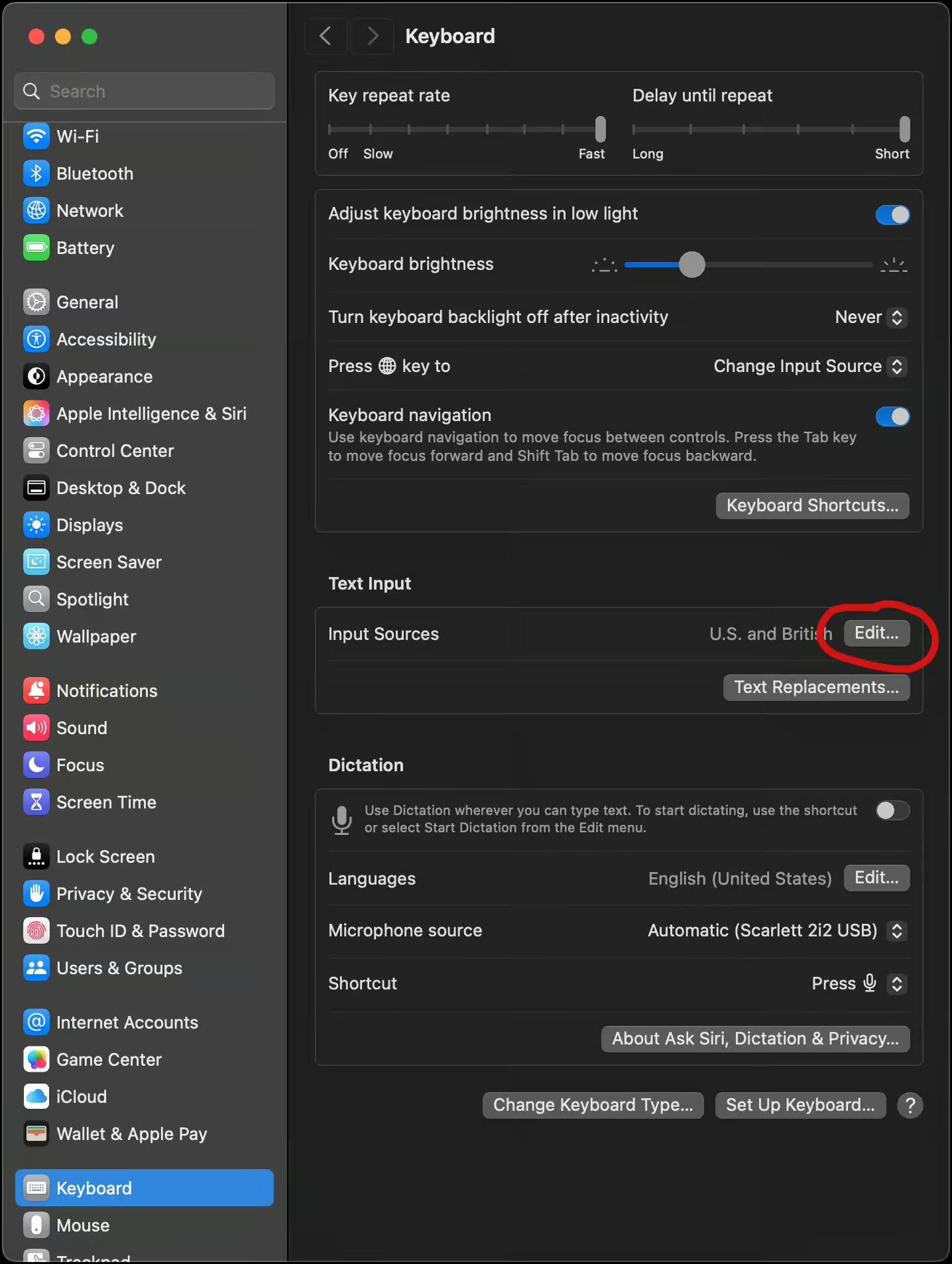
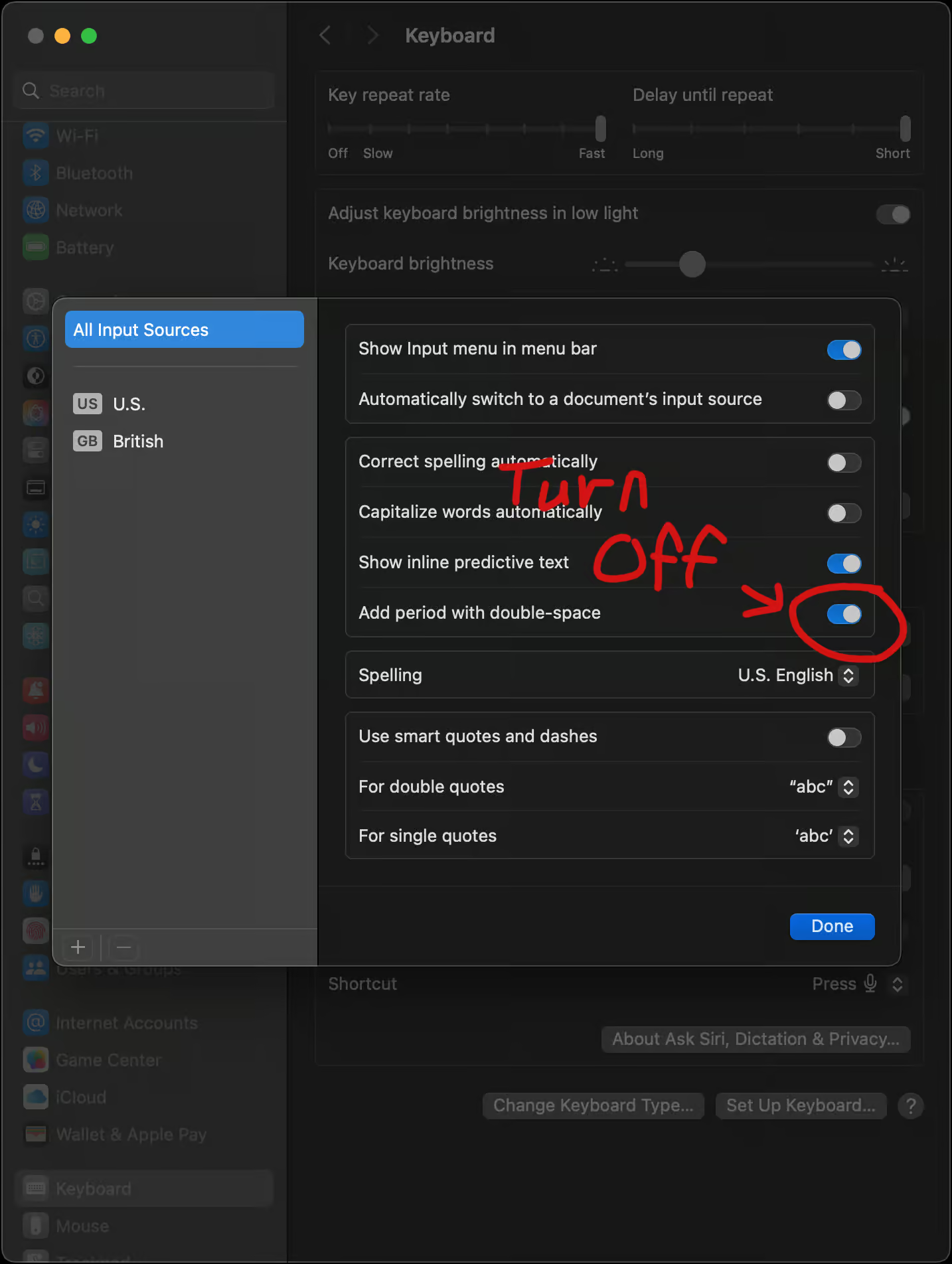
I feel like I'd turned that off before. Maybe not. Or, maybe it's one of those things that got turned back on in a system update. Whatever. Togging it off fixed the issue.
-a
References
This is the place where I found the solution. It didn't come up in my searches when I had VS Code in the search term for some reason.
This was the original page I found talking about the problem. The solution listed there is to run a command line update to fix it. It felt like that shouldn't be necessary so I kept poking around.
The post is from 2022. Quite possible the menu option wasn't there at the time. Who knows... I've added a comment to the post with the screenshots.
Footnotes
The little mac app I wrote to automatically type into an app to make screen recordings look nicer.
The web component I built to make it easier to make web pages with functionality.